
It learns how you develop, then develops the next shoot for you.
shoots trains a develop profile on the catalog you have already edited, and predicts a per-image starting point for photographs it has never seen — written as XMP sidecars your editor opens. Around it sits the rest of the shoot: offload, rename, metadata, focus-aware culling, star ratings.
All of it on your own machine. The model is trained on your photographs, by your computer, and neither the images nor the profile are ever uploaded anywhere.
curl -fsSL https://www.shoots-ai.com/install.sh | bash- Your photographs never leave your machine — no upload, no cloud
- Free, with no subscription to run any of it
- Nothing is ever deleted or overwritten
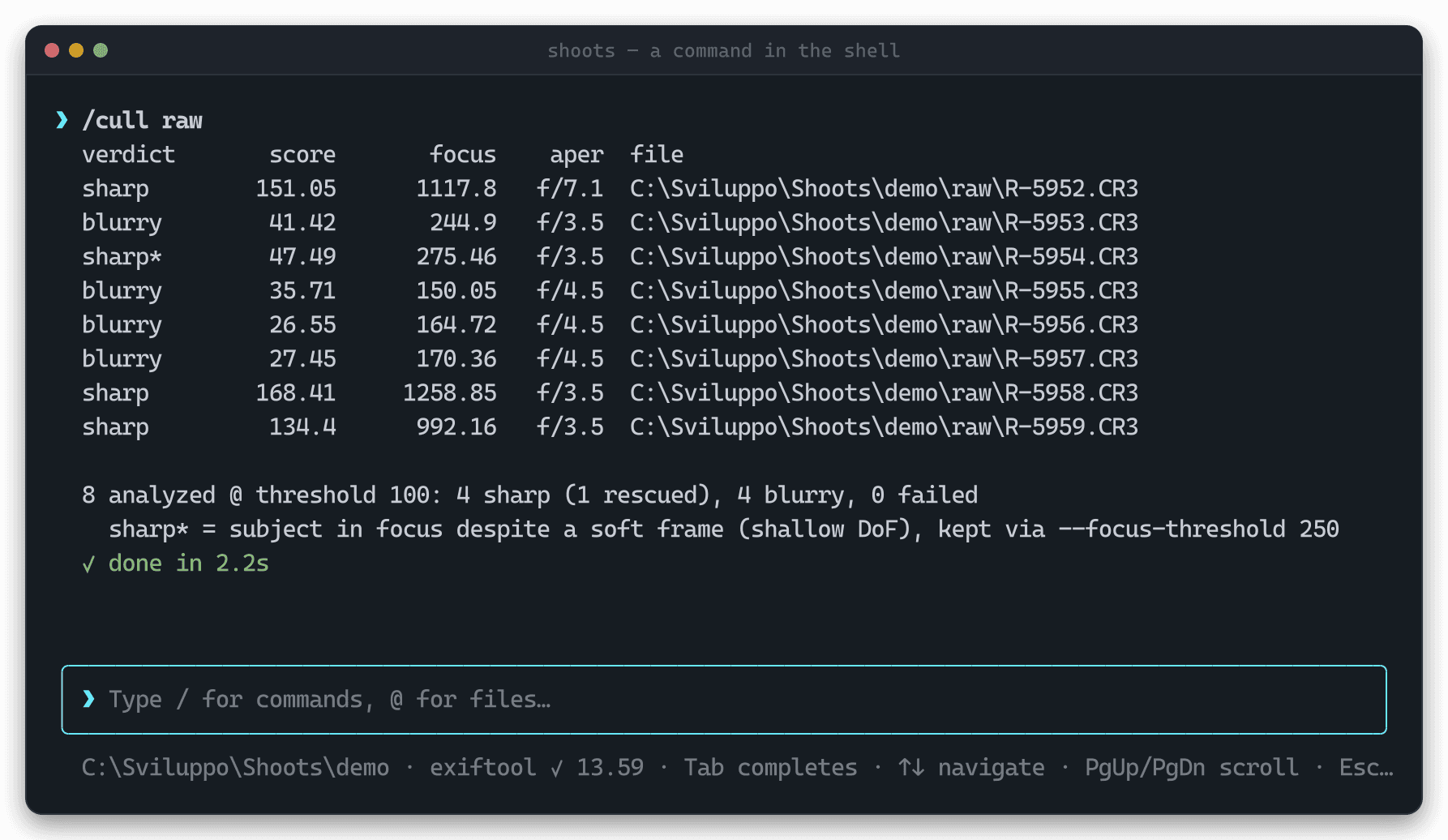
Real terminal capture — every screenshot on this page is generated from actual output.
Four commands, and the shoot arrives half-edited
Train once on a catalog you have already developed. From then on, every new shoot gets a predicted develop vector per image, written as an .xmp sidecar next to the RAW — and once you have edited them for real, refine feeds your corrections back in so the next shoot is closer still.
Once, from a catalog you have already developed
Learn your style
Exports a training dataset from your edited photos and fits a develop profile. Under the hood: export --edited-only + train.
shoots develop init ~/Catalogs/2025writes ~/.shoots/develop/profile/export.json
Every step accepts --dry-run, and the training data never leaves ~/.shoots. Read the predictor guide →
AI-assisted developing, without the upload
Tools that predict your edits generally work by sending your catalog to a cloud service and renting the result back to you. That is a reasonable way to build one — it is just not this one. shoots does the same job with the inference on your own hardware, which changes what you have to hand over to get it.
Nothing is uploaded
Not the RAWs, not the previews, not the profile you trained. There is no server to send them to — the tool has no network path for your images at all.
The training is yours
The profile is fitted on your machine from your own edits, and lands as a file you own. Nobody else's taste is baked into it, and it does not change under you.
Free, and no subscription
Every command on this page is free to run, with no account and no per-image credits. Use of the source is governed by the project licence.
| A hosted service | shoots | |
|---|---|---|
| Where your photographs go | Uploaded to someone else's servers before anything is predicted | Nowhere. They are read from the disk they already sit on |
| Where the model lives | A shared model, hosted, versioned and changed without you | A profile file in ~/.shoots, fitted on your catalog, yours to keep |
| What it costs to run | A subscription, or credits priced per image | Nothing — no subscription, no per-image cost |
| What happens offline | Nothing works | Everything works |
A starting point, not a finished image
The predictor gives you the global look you would have dialled in yourself. No local masks, no generative edits, no pretence that the frame is done — the work it saves is the first ten minutes of every photograph.
Nothing is ever deleted
Originals stay untouched and edits go to sidecars. Rejects are moved, never removed; a failed checksum deletes the corrupt copy, never the source.
No editor required
The engine runs with no host editor installed, and hands its predictions over as files. An editor plugin is a thin front over it, never a dependency of it.
Built to be scripted
Every command speaks --json and honours --dry-run, with meaningful exit codes, so it drops straight into scripts, cron and CI.
Lightroom and RapidRAW today, one adapter at a time after that
Develop settings are not portable between editors, and no amount of file-format work makes them so: XMP is only a container, crs: is Adobe's private vocabulary inside it, and an exposure of +0.35 means whatever the host's pipeline says it means. So each editor gets its own adapter — and the adapter is the only part that has to know. The profile, the trained model and the evaluation stay in one vocabulary behind it.
Lightroom Classic
Camera Raw and Bridge along with it — the same crs vocabulary, the same sidecars
RapidRAW
Shipped in 0.7.0 — a younger, faster host, with sidecars of its own
darktable
Its own module stack, in a namespace of its own
RawTherapee
Sidecar profiles rather than XMP
ON1 Photo RAW
Commercial, and asked for often enough to be on the list
Capture One
Does not use XMP for adjustments at all — the hardest of the set
The order is not fixed — what photographers actually ask for moves it. Read the direction →
Two things that learn from you, four that save you an evening
The two profiles — how you edit, and what you keep — are what shoots is for. The rest is the work around them: getting the card in, naming it, stamping it, and throwing out the frames that missed. Each is a standalone command: run them by hand, chain them in a script, or drive them from the interactive shell.
shoots developLearn your edit
Fit a predictor on a catalog you have already developed, and get a per-image starting point as an XMP sidecar.
Read the docs →shoots matchLearn your eye
Duel your own photos two at a time; the outcomes train a rating profile that generalizes your taste to work you have never judged.
Read the docs →shoots cullCull the out-of-focus frames
Focus-aware blur detection, shallow depth of field included, with an optional human-in-the-loop review.
Read the docs →shoots rateStar-rate and keyword
0–5 stars and keyword suggestions from a local ONNX CLIP model, written as XMP sidecars your editor reads.
Read the docs →shoots importOffload and rename
Copy a card into a dated catalog, checksum-verified. Original filenames are kept unless you ask for a template.
Read the docs →shoots exifStamp metadata
Artist, copyright, keywords — any EXIF·IPTC·XMP tag — written across a whole folder in one pass.
Read the docs →A shallow-DoF portrait is mostly bokeh
A single global sharpness number throws away your best wide-open frames. Alongside it, cull builds a focus map over a tile grid and takes the sharpest region: a frame below --threshold is still kept when that peak clears --focus-threshold. Move the sliders and watch the verdicts change.
Mostly bokeh: the global score is low, but the eyes are tack sharp.
--threshold100Global Laplacian variance below this counts as blurry
--focus-threshold250Keep a soft frame when its sharpest region clears this
Classic computer vision — Laplacian variance plus a tile-based focus map. No model, no inference. How the scoring works →
The 60-second tour
Every mutating command accepts --dry-run. Every command accepts --json. Nothing is ever deleted.
shoots setupshoots import E:/DCIM/100CANON --dest D:/Shoots/2026/smith-weddingshoots exif D:/Shoots/2026/smith-wedding --set-artist "Jane Doe Photography" --set-copyright "© 2026 Jane Doe"shoots cull D:/Shoots/2026/smith-wedding --dest D:/Shoots/2026/smith-wedding/rejectsshoots rate D:/Shoots/2026/smith-wedding --profile wedding --write-xmpCommand map
- importcard → catalog, renamed and SHA-256 verified
- renamein-place batch rename with the same template engine
- exifbatch read/write EXIF·IPTC·XMP via exiftool
- cullfocus-aware blur detection; relocate or review rejects
- rate0–5 star ratings + keywords via the ONNX CLIP model
- embeddingsprofile-neutral CLIP export for preference learning
- matchlearn your eye from duels → a personal rating profile
└─ import · serve · train
- developpersonal develop-setting predictor
└─ init · edit · refine · export · train · predict · calibrate · diagnose
- schedulerun develop refine daily and unattended
- setupprovision exiftool + LibRaw + the inference model
- doctorenvironment health check
- updateself-update the standalone binary
- shellthe interactive shell (default with no arguments)
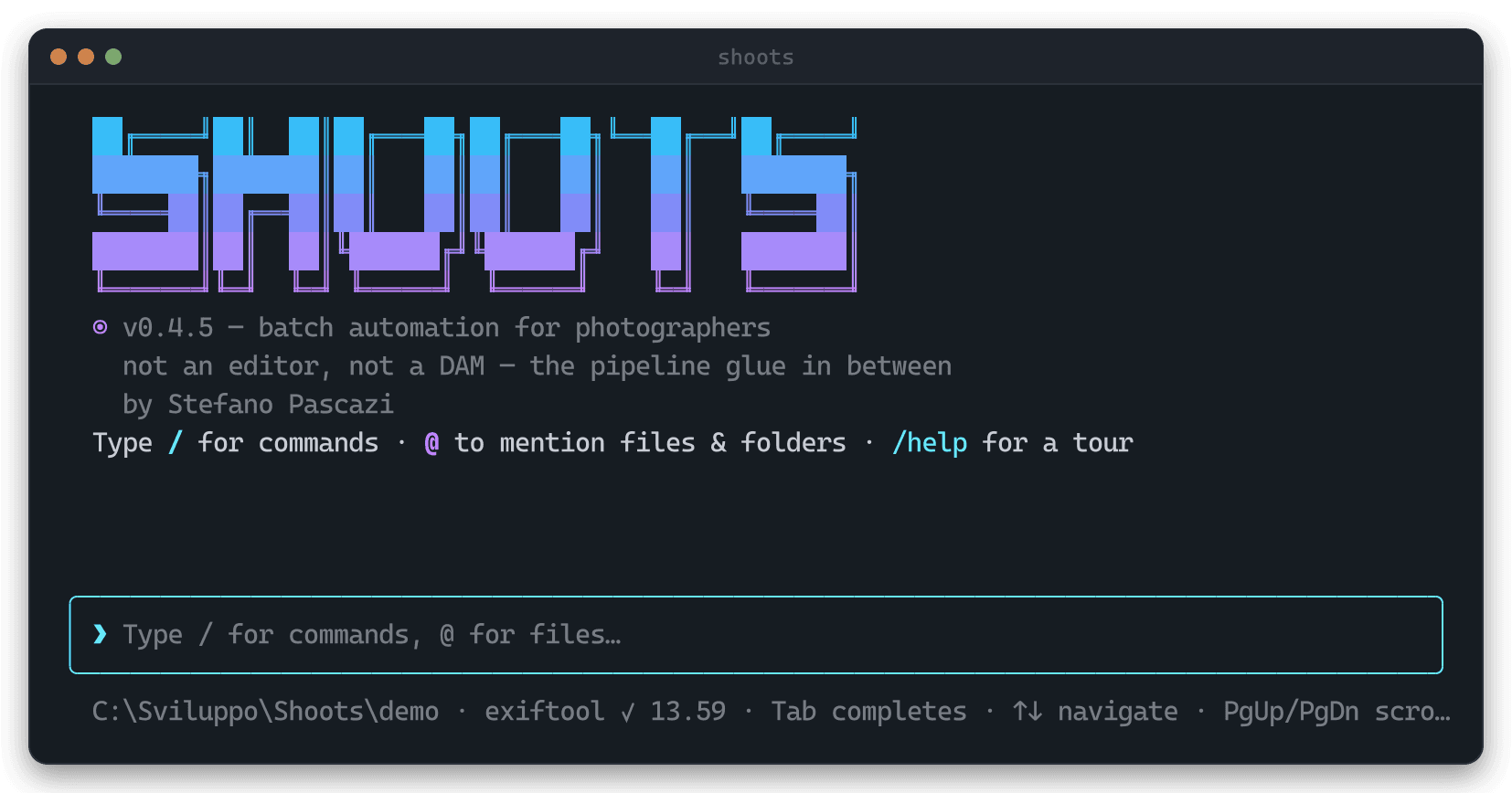
What it actually looks like
Terminal captures generated from real runs — the interactive UIs driven by keystrokes, the batch commands actually executed.
Source-available, not open source.
shoots is licensed under the PolyForm Noncommercial 1.0.0. You are free to read, use, modify and share the source code — but only for noncommercial purposes. Any commercial use of the software, in whole or in part, is not permitted under this license.
Copyright © 2026 Stefano Pascazi. All commercial rights are reserved by the copyright holder.